
Work Faster, Search Smarter, and Access Your Research Anywhere with ELabELN
ELabELN is designed for researchers who need powerful features without the complexity. An intuitive interface that feels natural from day one, works on any device, and gets out of your way so you can focus on science, not software navigation.


An Electronic Lab Notebook That Actually Works the Way You Think
You shouldn't need training to use a lab notebook. ELabELN's clean, intuitive interface means you can start recording experiments immediately. No manuals, no confusion, just straightforward tools that make sense. Rich text editing, drag-and-drop file uploads, customizable templates, and instant search work exactly as you'd expect, whether you're at your bench, in a meeting, or reviewing data from home.
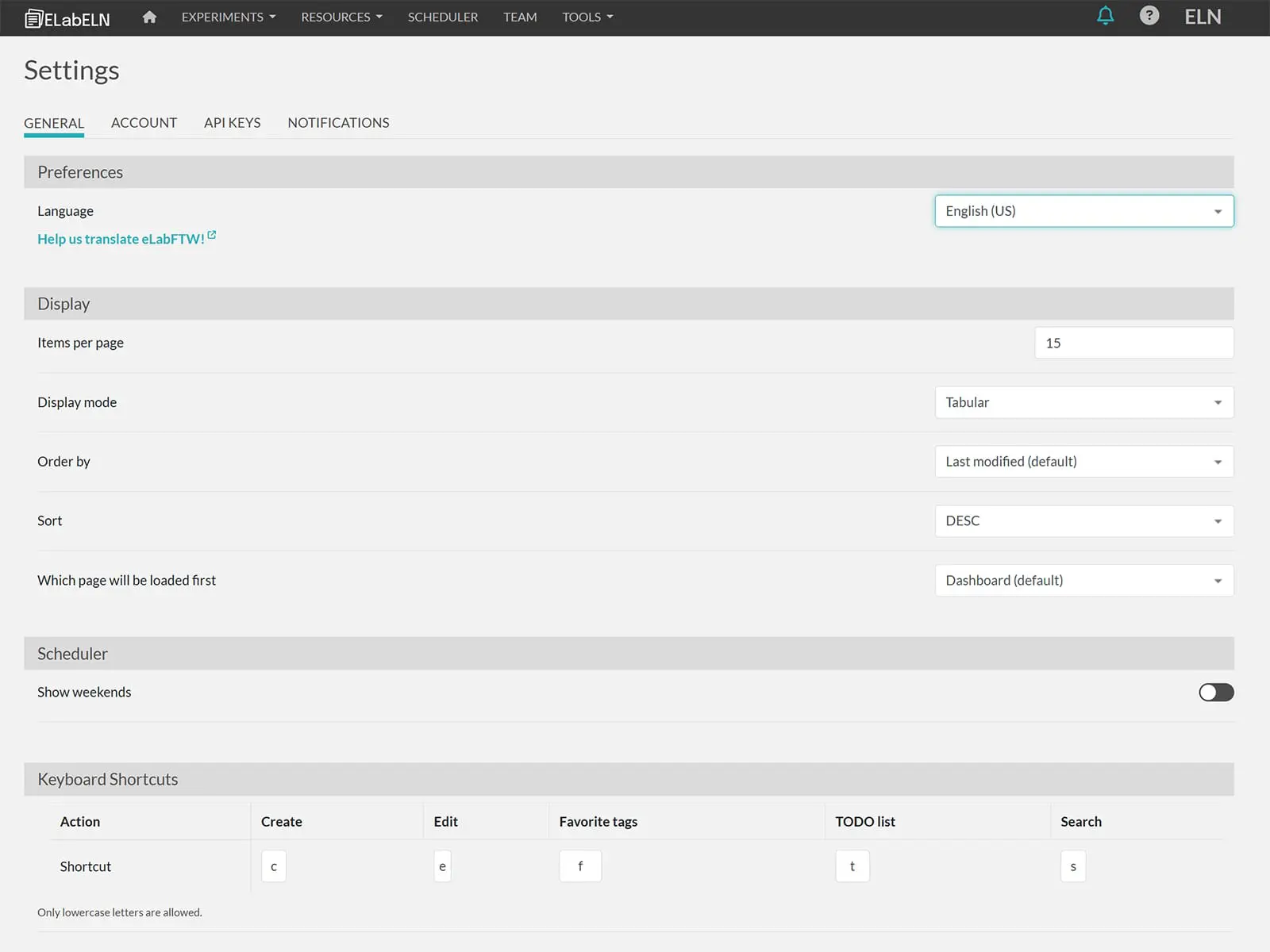
Built for real research workflows, ELabELN adapts to how you work instead of forcing you into rigid processes. Customize your workspace, organize experiments your way, and access everything from any device: desktop, tablet, or phone. Keyboard shortcuts speed up repetitive tasks, smart autocomplete reduces typing, and responsive design ensures your notebook looks perfect whether you're on a 27-inch monitor or checking results on your phone between experiments.
Stop fighting with complicated software. Discover how simple a powerful ELN can be.
User Experience Features That Eliminate Friction and Accelerate Research
ELabELN prioritizes simplicity without sacrificing capability. Every feature is designed to reduce clicks, minimize confusion, and help you accomplish more in less time. From intuitive navigation to mobile accessibility, these are the user experience elements that make ELabELN the notebook researchers actually want to use every day.
Intuitive Interface and Easy Navigation
Clean, Distraction-Free Design
Focus on your work, not cluttered menus. ELabELN's streamlined interface puts essential tools front and center while keeping advanced features accessible but out of the way until you need them.
Keyboard Shortcuts and Quick Actions
Work at the speed of thought with comprehensive keyboard shortcuts. Create new experiments, jump between sections, or search your notebook without touching your mouse.
Search Filters
Use advanced filters to narrow search results. Search by keywords, tags, dates, or specific metadata. Stack filters to find exactly what you need from thousands of experiments instantly.
Universal Access and Cross-Platform Support
Mobile and Tablet Support
Access the platform on mobile devices. Review protocols at the bench on your tablet, check results on your phone during meetings, or document findings on your laptop with full functionality.
Browser-Based, No Installation Required
Start immediately with zero setup. ELabELN runs in any modern browser on Windows, Mac, Linux, ChromeOS, or mobile devices. No downloads, no compatibility issues, no IT headaches.
Real-Time Cloud Synchronization
Your work saves automatically and syncs instantly across all devices. Start an experiment on your desktop, add notes from your tablet at the bench, and review results on your phone.
Customization and Personalization
Customizable Dashboard
Personalized dashboard for quick access to important information. Pin frequently-used protocols, customize widgets, and organize your workspace to match how you work.
Customizable Templates
Adapt forms and workflows to suit your specific lab needs. Create experiment templates with custom fields, data tables, and calculation logic that match your exact procedures.
Favorites and Quick Access
Bookmark frequently-used templates, protocols, or experiments for one-click access. Build a personal library of your most important resources and access them instantly from anywhere.
Accessibility and Inclusive Design
Screen Reader Compatible
Full support for assistive technologies ensures researchers with visual impairments can navigate and use ELabELN effectively. All interface elements include proper ARIA labels and semantic structure.
Adjustable Font Sizes and Contrast
Customize text size, spacing, and color contrast to match your visual preferences or accessibility needs. High-contrast modes and adjustable layouts ensure comfortable reading for extended sessions.
Multi-Language Support
Work in your preferred language with interface translations and multilingual data entry support. Collaborate seamlessly across international teams while maintaining data integrity and searchability.
Experience the Simplest, Most Intuitive ELN for Yourself
"*" indicates required fields