
Ready to Try It Yourself?
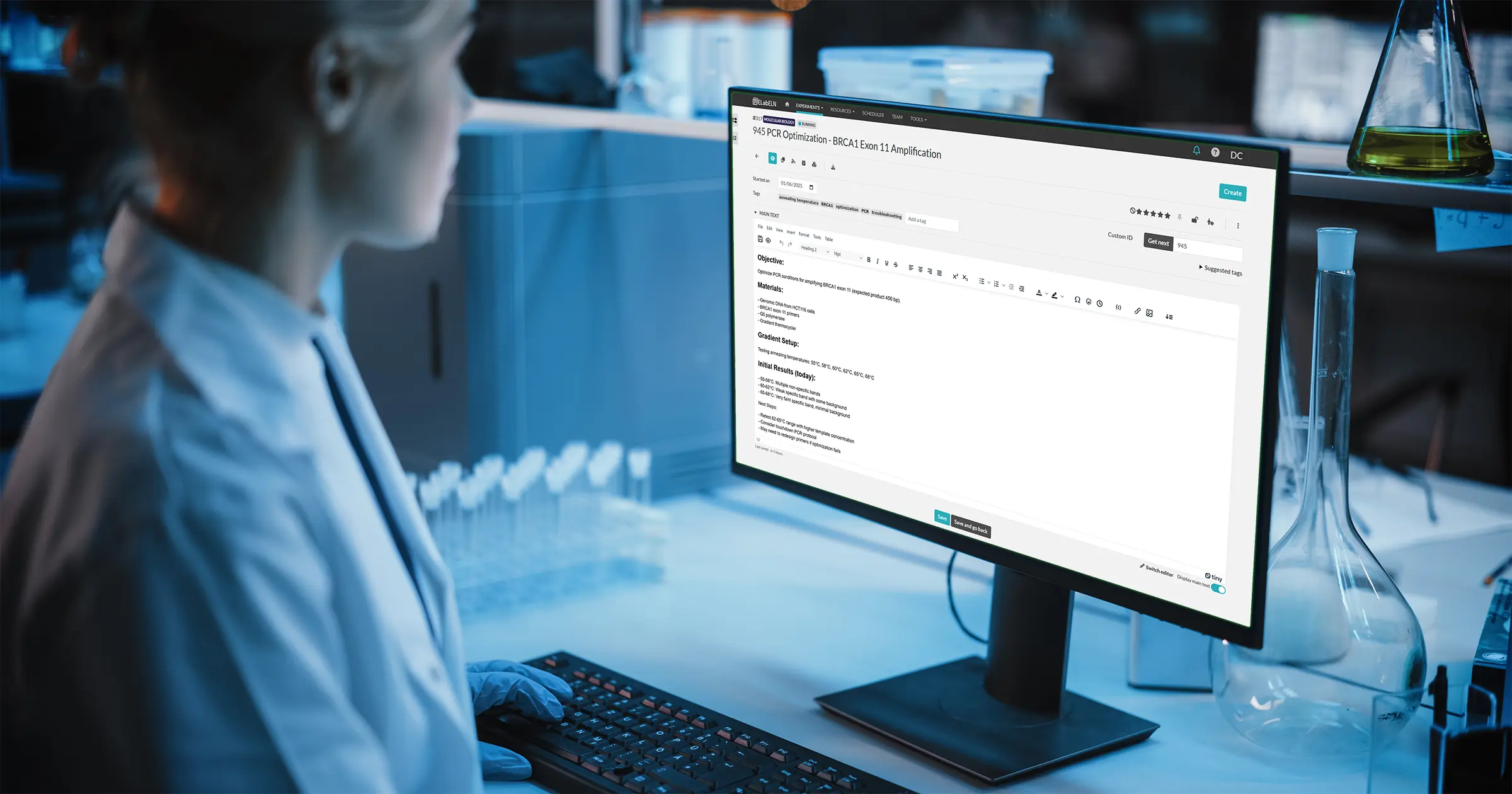
What Is a Digital Lab Notebook? (And Why Researchers Are Switching)
Last week, we talked about the hidden cost of makeshift lab documentation—the 5-10 hours per week most researchers lose to searching, version chaos, and scattered data.
If you found yourself nodding along to those problems, you're probably wondering: what's the alternative?
The answer is simpler than you might think. It's called a digital lab notebook, or electronic lab notebook (ELN). But before you imagine something complicated or expensive, let me show you what it actually is—and more importantly, what it can do for your daily lab work.
What Is a Digital Lab Notebook, Really?
Here's the simplest definition: A digital lab notebook is software purpose-built for documenting research.
That's it. Not Microsoft Word with folders. Not Excel spreadsheets. Not a scanning app for your paper notebooks. An actual tool designed from the ground up to handle how research actually works—experiments that build on each other, protocols that evolve, data that needs to be found months later, and teams that need to collaborate.
Think of it this way:
- Word is designed for: Writing documents with a clear beginning and end (reports, letters, articles)
- Excel is designed for: Organizing data in rows and columns (budgets, lists, calculations)
- Paper notebooks are designed for: Chronological, linear note-taking
- ELNs are designed for: Ongoing research documentation that needs to be searchable, linkable, shareable, and verifiable
That design difference matters more than you might think.
What Does It Actually Look Like?
Let me show you what using a digital lab notebook actually feels like compared to your current system. These aren't theoretical examples—this is what changes in your daily work.
Scenario 1: Recording Today's Experiment
The old way (paper or Word):
- Open notebook to next blank page or create new Word file
- Write date and title by hand (or type it)
- Copy protocol from previous experiment (by hand or find the file to copy-paste)
- Document as you work, hoping you don't run out of space
- Take photo of results with phone, try to figure out how to get it into your notes
- Time: 15-20 minutes of documentation overhead
The digital lab notebook way:
- Click "Create New Experiment"
- Choose your protocol template (your common protocols are saved)
- Date and time stamp automatically
- Protocol is already there—just add your observations
- Drag and drop images directly into your notes
- Click save
- Time: 3-5 minutes
Scenario 2: Finding Last Month's Results
The old way:
- Try to remember when you did the experiment
- Grab multiple notebooks or open multiple folders
- Flip through pages or scan file names
- Check dates, realize you're in the wrong place
- Try again in different notebook or folder
- Finally find it (maybe)
- Time: 10-20 minutes of searching
The digital lab notebook way:
- Type keyword in search bar (e.g., "antibody dilution")
- See all relevant experiments instantly
- Filter by date and other fields if needed
- Click to open
- Time: 10-20 seconds
Scenario 3: Sharing Your Work
The old way:
- Scan or photograph notebook pages
- Or copy-paste from multiple Word files
- Create email with attachments
- Recipient downloads, opens files
- Make a change? Send new version
- Now multiple versions exist in multiple inboxes
- Result: Version chaos and email clutter
The digital lab notebook way:
- Click "Share" button on your experiment
- Choose who can see it (your PI, lab mate, collaborator)
- Set permissions (view only or edit)
- They see the latest version automatically
- All changes tracked automatically
- Result: One current version, clear permissions, no email attachments
I know what you might be thinking. New software sounds like work. Learning curves. IT headaches. Let me address the most common concerns directly:
"I'm not tech-savvy. Will I be able to use this?"
If you can use email and Google search, you can use a digital lab notebook. Modern ELNs are designed to be intuitive. You don't need to be a programmer or have IT training. Most researchers create their first experiment within 10 minutes of logging in for the first time.
The interface is simpler than you think: Create experiment. Type your notes. Save. Search when you need to find something. That's the core workflow.
"What about my existing notebooks? Do I have to re-enter everything?"
No. You don't have to digitize your past work unless you want to. Most researchers start fresh with new experiments going forward. Your paper notebooks stay exactly where they are for reference.
If you do want to bring over important protocols or frequently referenced experiments, you can either type them in (surprisingly quick with copy-paste for digital protocols) or just attach photos of your paper pages. Start at whatever pace feels comfortable.
"Do I need IT support or special software?"
Most modern ELNs are web-based—meaning they run in your regular web browser (Chrome, Firefox, Safari). No special software to install. No IT department needed. You sign up with your email and you're ready to go.
It works on any computer, tablet, or phone. Lab computer, office computer, your laptop at home—same account, same data everywhere.
"What if the company goes out of business? Do I lose my data?"
Good ELNs let you export your data anytime in standard formats (PDF, CSV, JSON). Your data is yours. You can download complete copies whenever you want. Unlike paper notebooks that can be lost in a flood or fire, your digital data is backed up automatically.
"Is it secure? What about sensitive data?"
Digital lab notebooks typically use the same security standards as online banking—encrypted connections, secure data centers, regular backups. Your data is actually more secure than a paper notebook sitting on your desk that anyone can photograph.
Many ELNs offer additional security features for regulated industries: audit trails, electronic signatures, role-based access controls, compliance with FDA regulations. But for academic research, the basic security is solid.
"This sounds expensive."
This is where it gets interesting. While some ELNs cost hundreds of dollars per user per month (especially those designed for pharmaceutical companies), there are options designed specifically for academic researchers and small labs.
Some are completely free. Others have free tiers with paid upgrades only if you need advanced features. The cost barrier that existed ten years ago has essentially disappeared for most research labs.
What Makes a Good Digital Lab Notebook?
Not all ELNs are created equal. If you're going to make the switch, here's what to look for:
Essential Features (Must-Haves):
- Powerful search - Find anything across all your experiments instantly
- Templates - Save your common protocols to reuse
- File attachments - Add images, data files, anything you need
- Organization tools - Tags, categories, or folders to keep things sorted
- Sharing/permissions - Control who can see what
- Export options - Get your data out in standard formats
Nice-to-Have Features:
- Linking experiments - Connect related work together
- Version history - See what changed and when
- Mobile access - Document from your phone or tablet
- Collaboration tools - Comments, mentions, notifications
- Integration - Connect with equipment or other software
- Compliance features - Electronic signatures, timestamps, audit trails (if you need them)
Why Researchers Are Making the Switch
Here's what researchers consistently say after switching to a digital lab notebook:
"I can actually find my old experiments now." This is the #1 benefit people mention. The ability to search across months or years of work and find exactly what you need in seconds is transformative.
"Lab meetings are so much easier." No more scrambling to find and photocopy relevant pages. Just pull up your experiments and share your screen or send a link.
"I'm not afraid of losing my data anymore." Automatic backups mean notebook disasters (spills, loss, theft, fire) can't destroy your research.
"Collaboration actually works now." When your PI can look at your experiment anytime, when lab mates can reference your protocols without asking you for the file, when collaborators across institutions can see your work—research moves faster.
"Documentation takes half the time." Templates mean you're not rewriting protocols. Auto-timestamps mean you're not writing dates. Copy-paste means you're not transcribing. It adds up.
What About ELabELN?
I've been talking about digital lab notebooks in general, but let me tell you specifically about ELabELN—because it's designed precisely for researchers who are new to ELNs and want something straightforward.
ELabELN is:
- Free forever for unlimited users - Bring your whole team without worrying about per-user costs
- Open source - Built by researchers, for researchers, with no vendor lock-in
- Simple to start - Core features without overwhelming complexity
- Powerful when you need it - Timestamps, electronic signatures, compliance features available
- Community-supported - Active user community and regular updates
The free edition isn't a limited trial—it's the full product. You get everything you need to document experiments, organize your work, and collaborate with your team. Paid tiers exist for labs that need advanced features like enhanced storage or priority support, but most academic researchers find the free version does everything they need.
Is It Worth Switching?
Here's an honest answer: If you're happy with your current system and it's working well for you, don't switch just for the sake of switching.
But if you recognized yourself in last week's article—if you're wasting time searching, managing version chaos, dealing with scattered data, or worrying about lost notebooks—then yes, it's worth trying.
The switch is easier than you think. You don't have to migrate everything at once. You don't have to abandon your paper notebooks entirely if you don't want to. Start with your next experiment. See how it feels. See if it saves you time.
Most researchers who try a digital lab notebook for even one week don't go back. Not because they're tech enthusiasts, but because getting back those 5-10 hours per week feels too good to give up.
What's Next?
Understanding what a digital lab notebook is conceptually is one thing. Actually using one is another.
Next week, we're going hands-on. I'm going to walk you through creating your first experiment in ELabELN step by step—from signing up to documenting a complete protocol with data and images. You'll see exactly what the experience feels like and how long it actually takes (spoiler: about 10 minutes to set up, 5 minutes to document your first experiment).
By the end of next week's article, you'll know exactly whether a digital lab notebook is right for your work.
Ready for the Next Article?
This is Part 2 of our 7-part series on making lab documentation easier. Each week, we publish a new guide and share it first with our newsletter subscribers.
Sign up for our newsletter to get the next article as soon as it drops, plus practical tips and insights you won't find on the blog.
Next week: "Your First Experiment: A Step-by-Step Digital Documentation Guide"
Ready to Try It Yourself?
Create your free account and experience the difference firsthand. Document your next experiment in minutes, search your work instantly, and never worry about lost data again.
"*" indicates required fields
© LabLynx, Inc. All Rights Reserved. LabLynx®, ELabELN™, and related marks are trademarks of LabLynx, Inc. This document may reference or interoperate with third-party technologies including Nextcloud®, ELabFTW®, and Node-RED®, whose respective copyrights, trademarks, and licenses remain the property of their owners. Nextcloud source code and license: https://github.com/nextcloud/server; ELabFTW source code and license: https://github.com/elabftw/elabftw; Node-RED source code and license: https://github.com/node-red/node-red. All third-party software is subject to its own licensing terms. Information provided herein is for informational purposes only and is not legal, technical, or professional advice. Product features and specifications are subject to change without notice.