
Stop Emailing Attachments. Start Sharing Experiments.
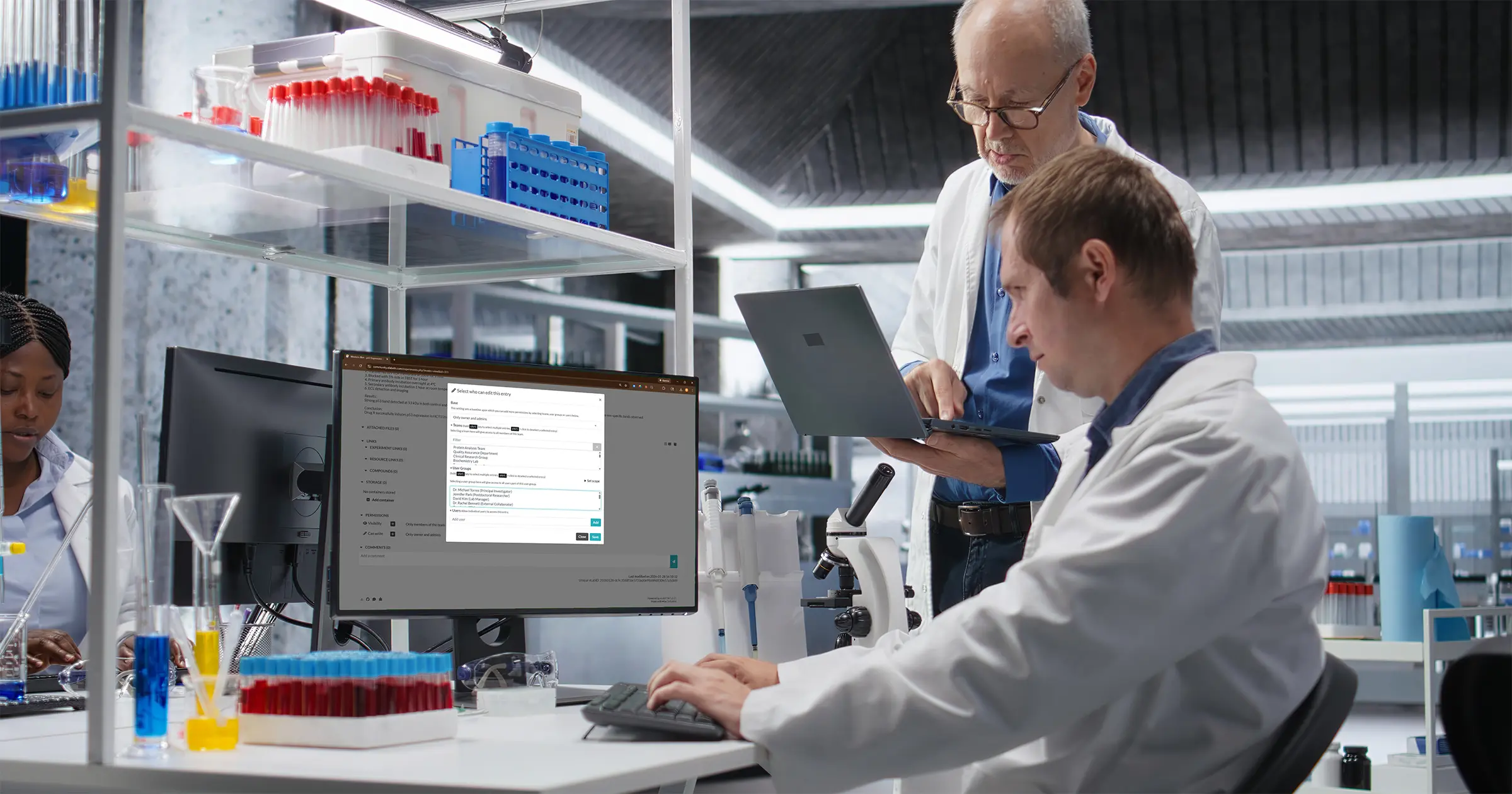
Lab Collaboration Without Email Chaos: Sharing, Permissions, and Teamwork
Your PI sends you an email: "Can you send me those Western blot results from last week?"
You find the Word document. Attach it to an email. Send it.
Two hours later, another email: "I made some comments. See attached."
You download the file. Make your changes. Now there are two versions. You save yours as "Results_v2.docx" and send it back.
Your lab mate asks for the data. Which version do you send? The original? V2? You send V2.
Your PI makes more changes. Sends "Results_v2_edits.docx"
Now there are three versions floating around in three different email inboxes. Nobody knows which one is current. Someone references the old version in a meeting. Confusion ensues.
Sound familiar?
This is the collaboration problem nobody talks about: the tools we use for individual work (Word, email, folders) completely fall apart when multiple people need to access the same information.
Digital lab notebooks solve this differently. Let me show you how.
The Core Problem: Files Don't Collaborate
When you email someone a Word document, you're not sharing a document. You're creating a copy. They now have their own version. Any changes they make exist only in their copy. Any changes you make exist only in yours.
This creates:
- Version chaos: Multiple versions with no clear "current" one
- Synchronization hell: Manually merging changes from different versions
- Lost updates: Someone works from an old version, their work gets overwritten
- Email clutter: Endless attachment threads
- Access problems: New team member joins, needs all the files, someone has to find and send them all
The digital lab notebook approach is fundamentally different: there's only one experiment, and you control who can access it.
No copies. No versions. No email attachments. Just shared access to the same information.
How Sharing Actually Works
In ELabELN, sharing is simple:
- You create an experiment
- You decide who should see it
- You click "Share" and select those people or teams
- They can now access it
- When you update it, they see the updates immediately
That's it. No attachments. No copies. No version confusion.
Understanding Permissions: View vs. Edit
When you share an experiment, you choose what level of access to grant:
View-Only Access
What they can do:
- Read the entire experiment
- See all attached files and images
- Export a copy for their records
- Search and find the experiment
- Add comments
What they can't do:
- Make any changes
- Delete anything
- Share it with others (you control that)
When to use: Your PI reviewing your work, collaborators from other labs, anyone who needs to see but not modify
Edit Access
What they can do:
- Everything View access allows
- Modify the experiment content
- Add images and attachments
- Update status, tags, categories
- Add comments and notes
- Delete the experiment
- Modify sharing permissions
What they can't do:
- Change ownership (usually only the owner and admins can)
When to use: Lab mates working on the same project, team members who need to contribute data, anyone actively collaborating
Common Sharing Scenarios (And How to Handle Them)
Scenario 1: PI Review
Situation: You've completed an experiment and need your PI to review it.
Old way:
- Export data to Word or PowerPoint
- Email it with "Please review"
- PI emails back with comments
- You make changes
- Send updated version
- Back and forth continues
ELabELN way:
- Share experiment with PI (View or Edit access)
- Request review directly in the system or send one email: "I've shared the experiment, please review when you can"
- PI opens it directly, sees everything
- PI can leave comments right in the experiment (works with both View and Edit access)
- If they have questions, they reference specific sections
- No attachments. No versions. One source of truth.
Scenario 2: Lab Mate Collaboration
Situation: You and a lab mate are working on the same project. You're doing the molecular work, they're doing the cell work.
Old way:
- You each keep your own notebooks
- You email each other results periodically
- You have separate Word files for different aspects
- When writing up, you have to gather everything from both people
- Nobody has a complete picture except maybe in their head
ELabELN way:
- Share relevant experiments with each other (Edit access)
- Link your experiments together (we'll cover this more later)
- Both can see each other's progress in real-time
- When writing up, all the data is already connected
- Complete project history visible to both
Scenario 3: Team-Wide Protocol
Situation: Your lab has a standard protocol everyone uses, but people keep asking "what's the current version?"
Old way:
- Protocol in a shared drive folder somewhere
- People make their own copies and modify them
- Now there are 7 different versions
- Nobody knows which is official
- New lab member asks "which protocol should I use?"
- Confusion.
ELabELN way:
- Create the protocol as an experiment or template
- Share it with entire team (View access)
- Everyone can see it, nobody can modify it except designated people
- When you update it, everyone sees the update immediately
- One protocol, always current, universally accessible
Scenario 4: External Collaborator
Situation: You're collaborating with someone at another institution. They need to see specific experiments but not your entire lab's work.
Old way:
- Export to PDF or Word
- Email it
- They have questions, you answer by email
- You update the data, need to send new version
- They're always looking at old data unless you remember to send updates
ELabELN way:
- Share only the specific experiments they need to see
- They get a link or login access
- They see those experiments, nothing else
- When you update, they see the updates
- No need to keep sending new versions
Team Features That Make Collaboration Easier
1. Shared Team Space
Most digital lab notebooks let you organize users into teams. Your team might be:
- Your entire lab group
- A specific project team
- Researchers + your PI
- Cross-functional team (researchers + QA + production)
Benefits:
- Share with whole team at once (instead of individuals)
- See all team members' shared experiments in one view
- New team members automatically get access to team-shared experiments
- Easier permission management
2. Activity Notifications
Get notified when:
- Someone shares an experiment with you
- Someone comments on an experiment you own
- Someone requests your review or signature
No more "did you see my email?" Just notifications when things relevant to you happen.
3. Comments and Discussion
Instead of emailing back and forth about an experiment, comment directly on it:
Your comment: "The yield was lower than expected. Should we increase the reaction time?"
PI's reply: "Yes, try 2 hours instead of 1 hour. Also check the reagent batch number—we had issues with the previous lot."
The discussion stays with the experiment. Six months later, when someone asks "why did we change the timing?" the answer is right there in the comments.
Permission Strategies for Different Lab Structures
Small Academic Lab (PI + 3-5 Students)
Strategy:
- Students: Own their experiments by default
- Share completed experiments with PI (View access)
- Share in-progress experiments if needing help (Edit access for PI)
- Share protocols with whole team (View access)
- Lab mates can request access to each other's experiments as needed
Benefit: Students maintain independence while PI has oversight
Industry R&D Team (10-20 Researchers + Managers)
Strategy:
- Project-based teams (share all project experiments within team)
- Managers have View access to all team experiments
- Cross-team collaboration through specific sharing
- Standardized templates shared with entire department
- QA team has View access to experiments needing approval
Benefit: Transparency and oversight without micromanagement
CRO or Service Lab (Multiple Clients)
Strategy:
- Client-specific teams (complete data separation)
- Researchers see only their assigned client's experiments
- Project managers have View access across relevant clients
- Clients can receive View-only access to their specific experiments
- QA reviews all before client sharing
Benefit: Complete confidentiality and data separation
Teaching Lab (Instructor + 20-50 Students)
Strategy:
- Students work in their own space by default
- Submit experiments to instructor by sharing (View access)
- Instructor can comment and provide feedback
- Example experiments shared with whole class (View-only)
- Students can optionally share with lab partners
Benefit: Easy submission and grading without email
What Changes When You Stop Using Email for Collaboration
After a few months of sharing experiments instead of emailing files, here's what researchers notice:
1. Inbox Gets Quieter
No more:
- "See attached updated version"
- "Can you send me that data again?"
- "Which version should I use?"
- "Did you get my file?"
Instead: "I've shared the experiment" → done.
2. Less Confusion
There's always one current version. Everyone looking at the same experiment sees the same data. Nobody works from outdated information.
3. Faster Feedback Cycles
PI can review experiments as they're completed, not when someone remembers to email them. Questions get answered in-context instead of through fragmented email threads.
4. Better Knowledge Transfer
When someone leaves the lab, their experiments can be transferred to their replacement. The new person sees everything, including discussion history and linked work. No knowledge lost.
5. Easier Collaboration Across Distance
Collaborating with someone at another institution becomes as easy as collaborating with your bench neighbor. Distance doesn't matter when everyone has access to the same system.
Common Collaboration Questions
"What if someone accidentally deletes or messes up a shared experiment?"
Most ELNs track all changes with version history. You can see what was changed, when, and by whom. Many let you revert to previous versions if needed.
Also, you can limit Edit access to only trusted collaborators. Most people you share with only need View access anyway.
"Can I unshare something if I change my mind?"
Yes. You control sharing. Remove someone's access anytime. They'll no longer be able to see the experiment.
"What happens if my collaborator leaves the institution?"
If they leave the ELabELN system, their account may be deactivated but the experiments they created remain (with ownership transferred if needed). Your shared access to their work depends on your institution's policies.
For external collaborators, you control whether they keep access or not.
"Can someone I share with share it with others?"
Only users with edit access can update sharing permissions unless the permissions have been locked at the template.
"What about sensitive or confidential data?"
Share it only with people who need access. Use View-only permissions for reviewers.
Getting Your Team On Board
The hardest part of digital collaboration isn't the technology. It's getting everyone to use it instead of defaulting back to email.
Start Small:
- You go first: Start documenting your experiments digitally
- Share one thing: Next time your PI asks for results, share the experiment instead of emailing
- Show the benefit: When they make a comment or question, respond by updating the experiment instead of email
- Let them experience it: One round of "share → review → update" is often enough for people to see the value
- Invite others gradually: As your PI or one lab mate adopts it, others will follow
Don't Force It:
Some people will resist change. That's okay. You can still use ELabELN for your own work and email them when necessary. Over time, as they see you finding things instantly and sharing effortlessly, they'll get curious.
Make It Easy:
The first time you share something with someone:
- Send them a direct link
- Include brief instructions if they're new to the system
- Offer to walk them through it
- Make it easier than opening an email attachment
Real Impact Stories
From a PhD Student:
"My PI used to ask me to send results via email. I'd attach Word files. She'd print them, mark them up, scan, and email back. It was ridiculous. Now I just share the experiment. She reviews it online. Comments directly. I see her feedback immediately. We've probably saved 10 hours of back-and-forth per month."
From a Lab Manager:
"We had three people working on the same assay optimization project. Before ELabELN, everyone kept their own notes and we'd have weekly meetings to sync up. Now we share all experiments with the project team. Everyone can see what everyone else did. We cut our meetings in half because we're already updated."
From a PI:
"I have five grad students. Before, I'd get random email attachments with results. I couldn't remember what I'd already reviewed. Now they share experiments with me. I routinely search for 'shared with me, status: completed, not yet reviewed.' I review everything systematically. Nothing falls through the cracks."
The Collaboration Mindset Shift
Email and file attachments trained us to think of documents as things we send to people. Digital lab notebooks require a different mindset: think of experiments as things people access.
Instead of "I'll send you the file," you think "I'll give you access."
Instead of "Did you get my email?" you think "Can you see the experiment?"
Instead of "Here's the latest version," you think "There's only one version."
This shift feels small but changes everything about how teams work together.
Stay Updated on the Series
This is Part 5 of our 7-part series on making lab documentation easier. Each week, we publish a new guide and share it first with our newsletter subscribers.
Sign up for our newsletter to get the next article as soon as it drops, plus practical tips and insights you won't find on the blog.
Next week: "From Chaos to Organized: Setting Up Your Lab’s Digital System"
Stop Emailing Attachments. Start Sharing Experiments.
ELabELN eliminates version confusion and email chaos with team workspaces, advanced sharing permissions, and collaboration features that make your whole lab more efficient. Get started today to schedule a demo and see how easy it is to share your first experiment.
"*" indicates required fields
© LabLynx, Inc. All Rights Reserved. LabLynx®, ELabELN™, and related marks are trademarks of LabLynx, Inc. This document may reference or interoperate with third-party technologies including Nextcloud®, ELabFTW®, and Node-RED®, whose respective copyrights, trademarks, and licenses remain the property of their owners. Nextcloud source code and license: https://github.com/nextcloud/server; ELabFTW source code and license: https://github.com/elabftw/elabftw; Node-RED source code and license: https://github.com/node-red/node-red. All third-party software is subject to its own licensing terms. Information provided herein is for informational purposes only and is not legal, technical, or professional advice. Product features and specifications are subject to change without notice.